
FastPlay is useful for providing a quick link to an activity for to learners for practice. While FastPlay does not collect individual student data and is not appropriate if you want to track student performance, it does allow immediate play.
FastPlay links do not retain data about who is playing, and cannot use Custom Play Settings. FastPlay delivers all of the cards in a deck each time it is play.
You can try a sample Fast Pin here: https://wow.boomlearning.com/fastplay/2
Check out a video:
Creating a Fast Pin:
- Navigate to your Library tab
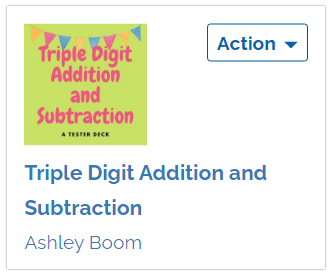
- Find the deck you want to play, or have someone else play
- Click on the blue Action button, and then click Fast Pin
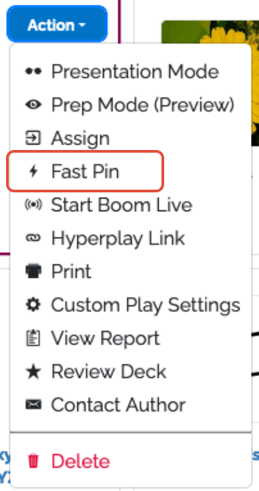
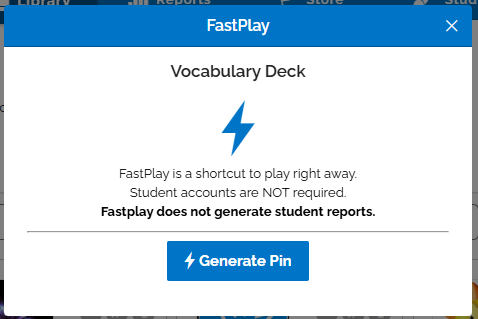
4. You will be shown a window where you can click Generate Pin
You will see a new Fast Pin, as well as a link to the page that you can send to your students, friends, or use yourself to test the deck out. You can copy the link to your computer's clipboard automatically using the "copy" button.
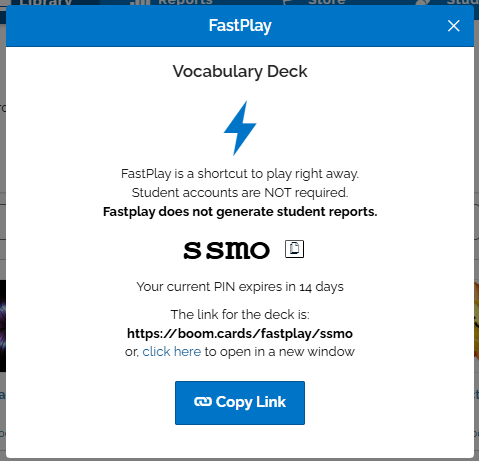
If you cannot see the link, hit ctrl "-" or cmd "-) to zoom your web browser out, and you should be able to see the web browser link below where it says when the Fast Pin expires.
Fast Pins expire 14 days from the time you generate a new one if you have a paid account, and 5 days if you have an unpaid account.
We limit the number of times FastPlay may be used in a rolling 30-day period in for all accounts. The limits are based on your subscription tier.
If you need more FastPlays as an unpaid user, you can increase your limit by purchasing a Subscription. Renew here.