
The Overview Tab in the Seller's Tools will show an overview of the current month and the previous month of Boom Store sales data.
You can access this section from the studio using the Summary button.
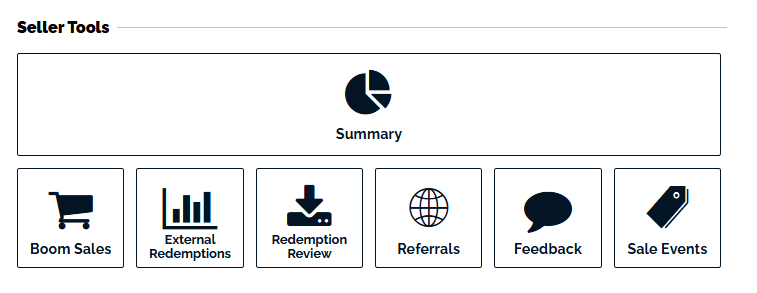
This includes your best-selling products and your product-specific revenue, ie. Decks, Bundles, Images, Fonts, and Printables. This view is available for your current month and the previous month's data.
Here you can see what items you make are selling the best in the Boom Store, so you can prioritize making products that resonate with your consumer base.
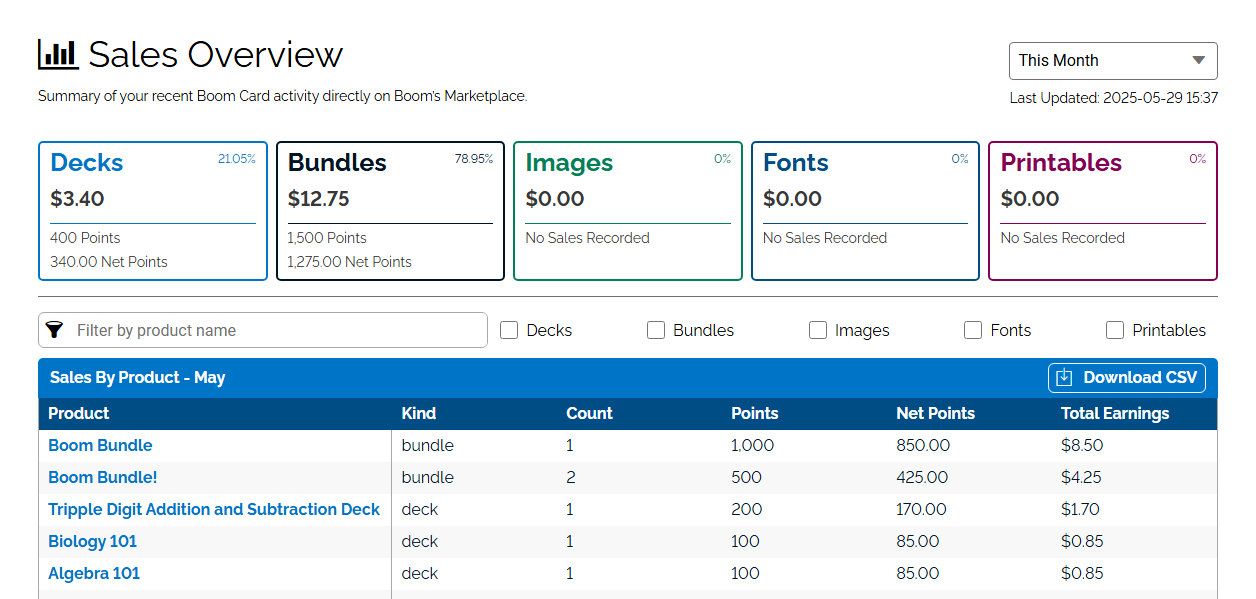
At the top of your Sales Overview, you will see: a summary of product categories you have accepted the Terms of Service to sell in the Boom Store.
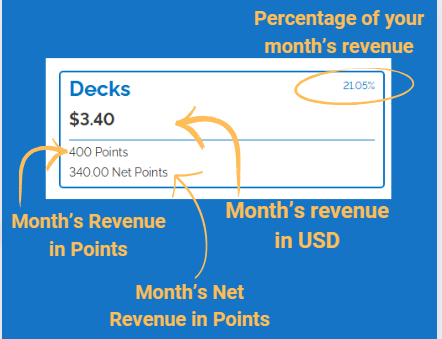
In each box, you will see the Percentage of your revenue that came from that category of items, the dollar amount of your revenue, points revenue, and net points revenue.
In the Sales By Product Chart, you can filter by product type, search by product name, and download a CSV file for your records.
This is the first rendition of multiple planned Sales Dashboard improvements. If you have any questions or feedback for this version, please email us at help@boomlearning.com