Due to exceedingly high volumes, we are only able to return scheduled calls.
For questions regarding school or organization purchases, please email our Sales Team at sales@boomlearning.com to set up a call with your Sales Representative.
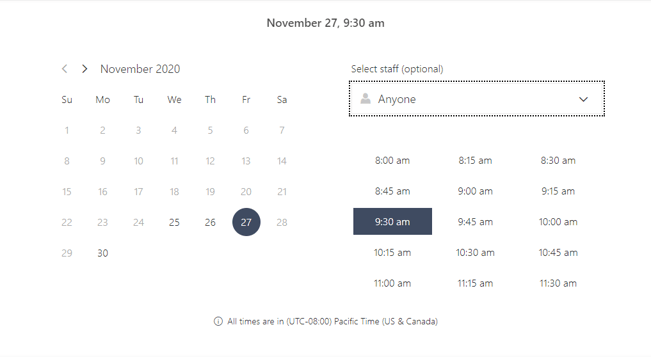
All call times are in the Pacific Time Zone!
Instructions on how to schedule:
Click this link to open the Booking Tool: Schedule a Call
Follow the steps below!
1. Select a service (reason for call):

2. Select a date, time, and agent
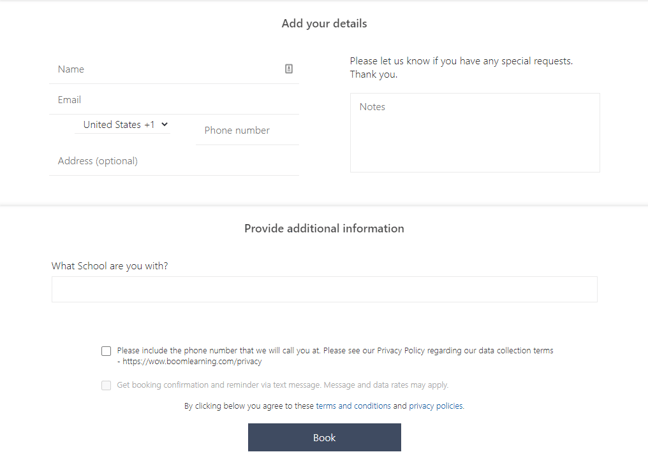
3. Fill in your contact information and leave your question in the "notes" section so we can better assist you. Then click "Book" to finalize: